
WELLCOME BACK
H
ello guys. How are you all? I hope you are all well. I came again with a post. Let’s go..
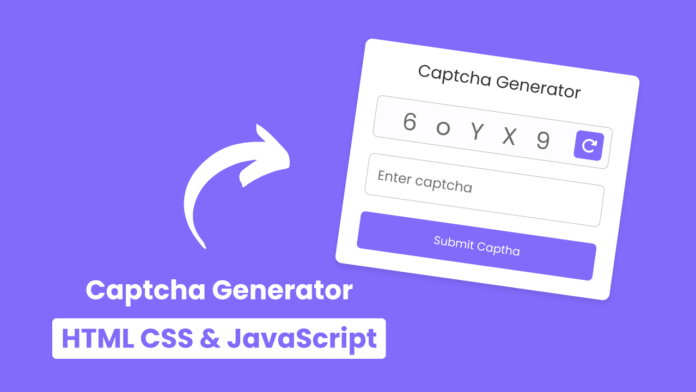
তো এই পোস্টে শেয়ার করো Custom Captcha Generator।
আপনি নিশ্চয়ই যানেন যে Login/Sign Form এ Captcha ব্যবহার করা হয়। তাই আপনি যদি নিজের তৈরি করা Captcha রাখেন তাহলে কিন্তু ভালোই হয়।
তো চলুন শুরু করা যাক।
Live Demo
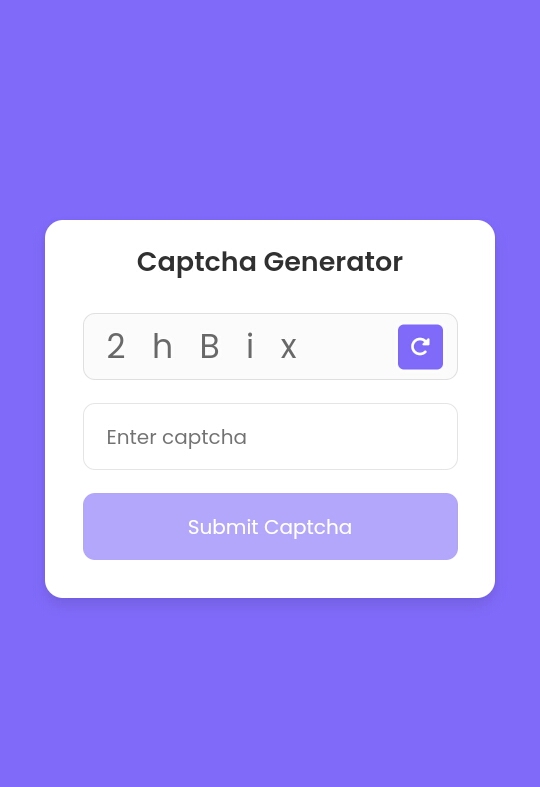
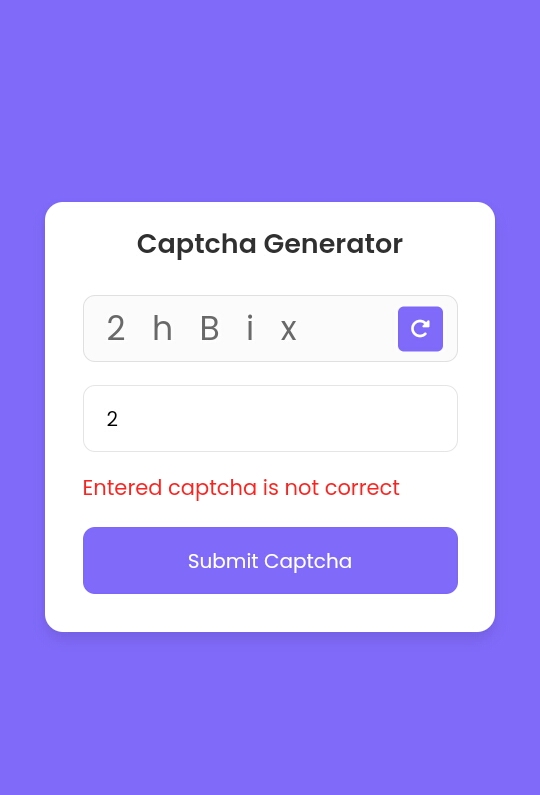
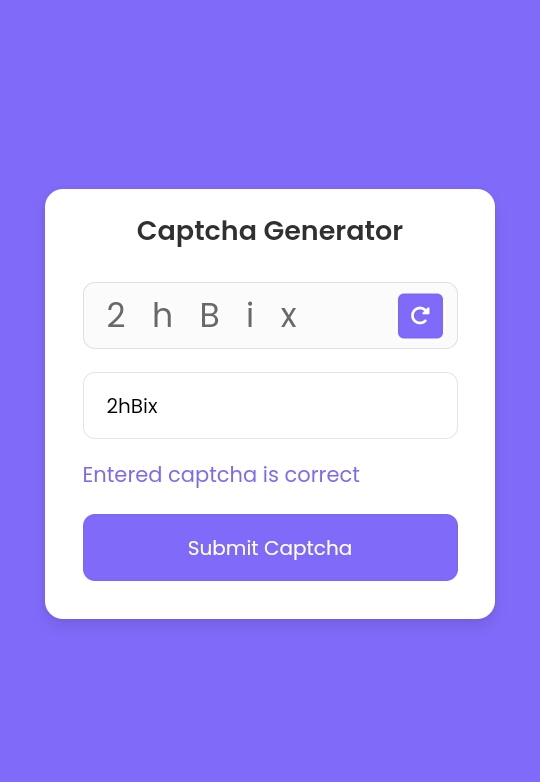
All Codes
index.html
<!DOCTYPE html>
<html lang="en">
  <head>
    <meta charset="UTF-8" />
    <meta http-equiv="X-UA-Compatible" content="IE=edge" />
    <meta name="viewport" content="width=device-width, initial-scale=1.0" />
    <title>Captcha Generator</title>
    <link rel="stylesheet" href="style.css" />
    <!-- Fontawesome CDN Link -->
    <link rel="stylesheet" href="https://cdnjs.cloudflare.com/ajax/libs/font-awesome/6.2.1/css/all.min.css" />
  </head>
  <body>
    <div class="container">
      <header>Captcha Generator</header>
      <div class="input_field captch_box">
        <input type="text" value="" disabled />
        <button class="refresh_button">
          <i class="fa-solid fa-rotate-right"></i>
        </button>
      </div>
      <div class="input_field captch_input">
        <input type="text" placeholder="Enter captcha" />
      </div>
      <div class="message">Entered captcha is correct</div>
      <div class="input_field button disabled">
        <button>Submit Captcha</button>
      </div>
    </div>

    <script src="script.js"></script>
  </body>
</html>
style.css
/* Import Google font - Poppins */ @import url("https://fonts.googleapis.com/css2?family=Poppins:wght@200;300;400;500;600;700&display=swap"); * { margin: 0; padding: 0; box-sizing: border-box; font-family: "Poppins", sans-serif; } body { height: 100vh; display: flex; align-items: center; justify-content: center; background: #826afb; } .container { position: relative; max-width: 300px; width: 100%; border-radius: 12px; padding: 15px 25px 25px; background: #fff; box-shadow: 0 5px 10px rgba(0, 0, 0, 0.1); } header { color: #333; margin-bottom: 20px; font-size: 18px; font-weight: 600; text-align: center; } .input_field { position: relative; height: 45px; margin-top: 15px; width: 100%; } .refresh_button { position: absolute; top: 50%; right: 10px; transform: translateY(-50%); background: #826afb; height: 30px; width: 30px; border: none; border-radius: 4px; color: #fff; cursor: pointer; } .refresh_button:active { transform: translateY(-50%) scale(0.98); } .input_field input, .button button { height: 100%; width: 100%; outline: none; border: none; border-radius: 8px; } .input_field input { padding: 0 15px; border: 1px solid rgba(0, 0, 0, 0.1); } .captch_box input { color: #6b6b6b; font-size: 22px; pointer-events: none; } .captch_input input:focus { box-shadow: 0 1px 1px rgba(0, 0, 0, 0.08); } .message { font-size: 14px; margin: 14px 0; color: #826afb; display: none; } .message.active { display: block; } .button button { background: #826afb; color: #fff; cursor: pointer; user-select: none; } .button button:active { transform: scale(0.99); } .button.disabled { opacity: 0.6; pointer-events: none; }
script.js
// Selecting necessary DOM elements
const captchaTextBox = document.querySelector(".captch_box input");
const refreshButton = document.querySelector(".refresh_button");
const captchaInputBox = document.querySelector(".captch_input input");
const message = document.querySelector(".message");
const submitButton = document.querySelector(".button");

// Variable to store generated captcha
let captchaText = null;

// Function to generate captcha
const generateCaptcha = () => {
  const randomString = Math.random().toString(36).substring(2, 7);
  const randomStringArray = randomString.split("");
  const changeString = randomStringArray.map((char) => (Math.random() > 0.5 ? char.toUpperCase() : char));
  captchaText = changeString.join("   ");
  captchaTextBox.value = captchaText;
  console.log(captchaText);
};

const refreshBtnClick = () => {
  generateCaptcha();
  captchaInputBox.value = "";
  captchaKeyUpValidate();
};

const captchaKeyUpValidate = () => {
  //Toggle submit button disable class based on captcha input field.
  submitButton.classList.toggle("disabled", !captchaInputBox.value);

  if (!captchaInputBox.value) message.classList.remove("active");
};

// Function to validate the entered captcha
const submitBtnClick = () => {
  captchaText = captchaText
    .split("")
    .filter((char) => char !== " ")
    .join("");
  message.classList.add("active");
  // Check if the entered captcha text is correct or not
  if (captchaInputBox.value === captchaText) {
    message.innerText = "Entered captcha is correct";
    message.style.color = "#826afb";
  } else {
    message.innerText = "Entered captcha is not correct";
    message.style.color = "#FF2525";
  }
};

// Add event listeners for the refresh button, captchaInputBox, submit button
refreshButton.addEventListener("click", refreshBtnClick);
captchaInputBox.addEventListener("keyup", captchaKeyUpValidate);
submitButton.addEventListener("click", submitBtnClick);

// Generate a captcha when the page loads
generateCaptcha();
আমি সব সময় কোডিং বিষয়ক পোস্ট করি তাই কোডিং নিয়ে কোনো কিছু লাগলে কমেন্ট এ বলবেন।
THE END
S
o friends, that’s it for today. See you in another post. If you like the post then like and comment. Stay tuned to Trickbd.com for any updates.
The post কিভাবে HTML CSS & JAVASCRIPT দিয়ে তৈরি করবেন Custom Captcha Generator? appeared first on Trickbd.com.
from
https://trickbd.com/web-development/3053198